

Mark your Shark Week 2026 calendar
Discovery Channel has not yet released the official dates for Shark Week 2026, but historical patterns provide a reliable projection. The event typically anchors itself in late July, avoiding the peak heat of August to maximize viewership during the summer television landscape. Based on the 2025 schedule, which kicked off on July 20th, you should expect the 2026 premiere to land between July 19th and July 26th.
The programming block usually runs for seven consecutive nights, premiering at 8:00 PM ET/PT. This consistent timing allows you to plan your viewing around evening hours. The lineup often features a mix of high-stakes documentaries focusing on Great White Sharks and more intimate looks at species like the Zebra Shark, providing variety throughout the week.
To ensure you do not miss the premiere, set a reminder for mid-June when Discovery usually drops the full lineup. Checking the official Shark Week page closer to the date will confirm the exact start time and any special primetime events that might adjust the nightly flow.
Plan your viewing with the weekly schedule
Shark Week operates as a marathon rather than a series of isolated episodes, with Discovery Channel structuring the week around thematic blocks that build narrative tension. To get the most out of the programming, you need to identify which nights align with your specific interests, whether that’s tracking Great White migration patterns or exploring the behavioral quirks of species like the Zebra Shark. Most primetime slots air on Discovery Channel, while daytime and late-night hours often rotate through Discovery+ and TLC, meaning your viewing strategy depends on which platform holds your subscription.
The schedule typically follows a predictable rhythm designed to maximize engagement. Early in the week, the network often introduces new documentaries or high-profile premieres to set the tone. Mid-week slots frequently focus on specific shark species or regional deep-dives, while the weekend usually reserves its biggest slots for dramatic reenactments, survival scenarios, or the highly anticipated "Shark vs." matchups. Checking the nightly lineup in advance helps you avoid missing key premieres that may not be immediately available on streaming.
Set up DVR reminders or streaming alerts
Because Shark Week programming often features back-to-back episodes and special event nights, manual scheduling can lead to missed content. The most effective approach is to leverage your device’s native reminder systems to ensure you never miss a broadcast. Whether you are using a cable box, a smart TV app, or a standalone DVR, setting these alerts takes less than a minute but guarantees you stay synchronized with the live broadcast schedule.
Visit the Discovery Channel website or the Shark Week microsite to find the specific date and time for each episode. Note the network (Discovery, TLC, or Discovery+) and whether the episode is a premiere or a repeat. This step is critical because streaming availability often lags behind the linear broadcast by several hours or even days.
If you have a cable or satellite subscription, navigate to your DVR settings and search for the specific episode titles or the "Shark Week" series. Set the recording quality to high definition to ensure you capture any underwater footage clearly. For multi-night event blocks, select the "series" or "weekly" record option to automatically capture all related episodes.

For viewers relying on Discovery+ or Hulu, use the app’s "Watchlist" or "Remind Me" feature. Open the specific episode page and tap the bell or plus icon to receive a push notification when the content goes live. This is particularly useful for late-night slots or early morning premieres that might conflict with your usual viewing habits.

Double-check that your DVR or app is set to the correct time zone, especially if you are traveling or if the schedule lists "ET/PT" times. A common mistake is setting a reminder for Eastern Time while living in the Pacific Time Zone, which can result in recording the wrong hour or missing the start of a live event.
By organizing your viewing list ahead of time, you transform Shark Week from a passive background activity into a structured event. This approach ensures you catch the most significant moments, from the introduction of rare species to the dramatic climaxes of survival documentaries, without feeling overwhelmed by the volume of content.
Top Shark Week highlights to catch
Shark Week 2026 is shaping up to be a definitive year for marine biology enthusiasts, with Discovery Channel leaning heavily into specific species narratives rather than generic "man-eater" tropes. Based on the network's recent trajectory and confirmed partnerships, the 2026 lineup will focus on high-definition, behavior-driven storytelling. The primary draws are Great White Sharks and Zebra Sharks, each representing a different side of shark ecology.
For the first time in recent years, the schedule includes dedicated segments on Zebra Sharks, offering a rare look at these elusive bottom-dwellers. Unlike their open-ocean counterparts, Zebra Sharks are often found in coral reefs and seagrass beds, providing a visually distinct contrast to the deep-blue footage viewers expect. This focus on diversity suggests a broader educational scope for 2026, moving beyond just apex predators to include the full spectrum of shark species.
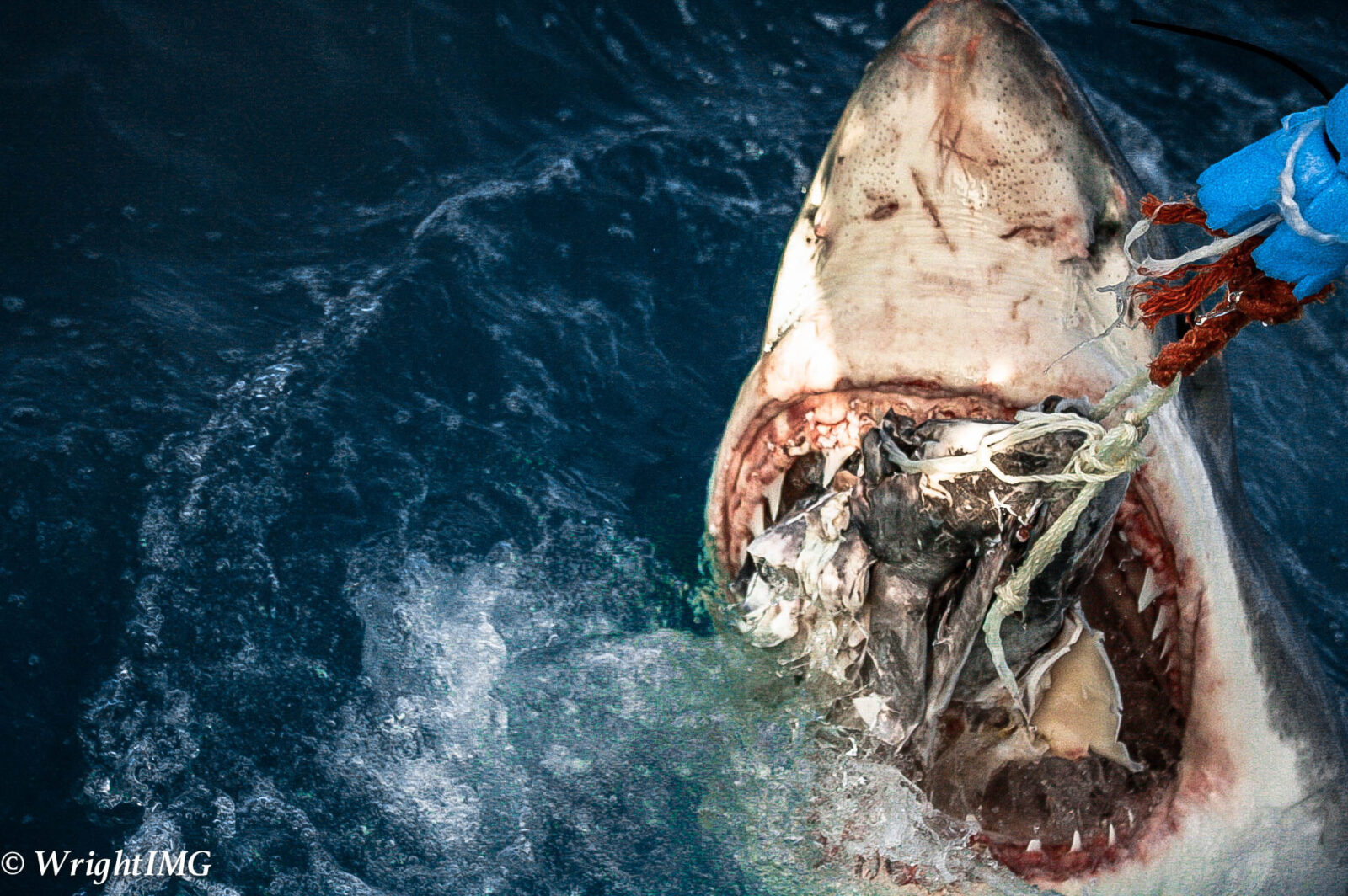
Great White Sharks remain the anchor of the event, but the 2026 coverage promises more intimate, close-range encounters. Recent years have shown a shift toward tracking individual sharks with satellite tags, allowing viewers to follow specific animals across thousands of miles. This approach transforms the viewing experience from passive observation to active tracking, making the schedule essential for planning your weekly viewing.
To set the tone for what's coming, here is a look at the visual style and intensity that defines the franchise:

The production quality continues to rise, with 4K underwater cameras capturing details that were previously invisible. This technical leap means that even smaller species like Zebra Sharks will be presented with the same cinematic grandeur as Great Whites. As the official schedule drops closer to July or August 2026, these two species will likely lead the charge in prime-time slots.
Watch Shark Week on streaming platforms
Shark Week 2026 airs on the Discovery Channel, but most viewers will catch the action through streaming services. The primary home for the event is Max, which carries the full lineup of documentaries, specials, and live events. If you have a cable subscription, you can also stream live via your provider’s app or the Discovery+ platform.
Choosing the right platform depends on your budget and whether you prefer ad-free viewing. Max offers the most comprehensive library, including past Shark Week seasons and related shark content like Shark Night. For live linear TV, Max provides the live feed, while Discovery+ offers a similar experience with slightly different on-demand ordering.
Compare the main options below to find the best fit for your viewing habits.
| Platform | Live TV | On-Demand | Cost |
|---|---|---|---|
| Max | Yes (via live TV add-on) | Full episodes & archives | $9.99–$15.99/mo |
| Discovery+ | Yes (Live TV plan) | Full episodes & archives | $4.99–$8.99/mo |
| Sling TV | Yes (Discovery Channel) | Limited (cloud DVR) | $40+/mo |
| Hulu + Live TV | Yes (Discovery Channel) | Limited (cloud DVR) | $76.99/mo |
Max is the recommended choice for most viewers. It offers a robust ad-free tier and includes the entire Shark Week schedule, from the Great White encounters to the quirky Zebra Shark specials. If you only want the live broadcast without the extra library, the basic Discovery+ plan is a cheaper alternative, though it includes ads.
Avoid common Shark Week viewing mistakes
Shark Week’s 37-year legacy makes it easy to assume the schedule works the same way every year. It doesn’t. The biggest mistake viewers make is treating the event like a standard streaming release, expecting all episodes to be available on-demand the moment they air. In reality, Discovery Channel prioritizes live linear broadcasts for premieres, meaning missing the initial slot often means waiting days for a rerun or a delayed upload.
To ensure you catch the high-stakes footage of Great White sharks hunting off the coast of South Africa or the rare behavior of Zebra Sharks in the Indo-Pacific, you need a proactive viewing strategy. Relying on passive notifications is risky; algorithms can be slow or incorrect. Instead, mark your calendar with the specific premiere dates and times. For the 2026 season, keep an eye on the official Discovery Channel announcements, as dates typically shift between July and August.
Another frequent error is assuming that streaming platforms like Max or Hulu will have the full week’s content ready simultaneously. They usually do not. Most episodes drop on-demand 24 to 48 hours after their live TV debut. If you are trying to watch the season premiere live with friends or family, you must tune into the cable or live TV provider at the exact scheduled time. Waiting for the "next day" upload will result in spoilers and a fragmented experience.
Use the checklist below to set up your DVR or streaming alerts correctly. This ensures you don’t miss the limited-time live events that define the Shark Week experience.
By treating the schedule as a strict timeline rather than a flexible library, you avoid the disappointment of missing exclusive live broadcasts. This approach ensures you see the raw, unedited footage of shark encounters as they happen, rather than catching up on edited clips days later.
Frequently asked questions about Shark Week
Shark Week remains one of the most anticipated annual events for marine life enthusiasts, but the specifics of the schedule and viewing options often generate questions. Below are direct answers to common queries regarding timing, streaming availability, and content details.
No comments yet. Be the first to share your thoughts!